
Reading & Writing Settings
A setting is declared in code and changed in the Settings app. Your code reads it and never writes it. This page covers both sides on the server: how a value reaches your code, and the rules that decide who may change it.
Declaring a setting is Core's part. Settings in Core covers #[Setting], its arguments and EditLevel. The SDK adds storage: every declared setting gets a stored default, and administrators override it per scope (Scope Precedence).
Setting or slot
A setting answers how is this configured: a threshold, a limit, a switch. A slot answers in what context: the locale, the time zone or the period a user works in. Core ships those three as slots. A partner's own slot values are set in the Partners app, not in the Settings app. If a value belongs to the person rather than to the configuration, declare a slot.
Declare it on the artifact
A setting is declared on an artifact class, such as an app or an action — that is the only declaration site there is (Settings). ui5:sync writes each one as a declaration of that artifact, with its default as the Platform level. From then on it appears in the Settings app under the artifact's title.
use LaravelUi5\Core\Parameters\Attributes\Setting;
use LaravelUi5\Core\Parameters\Enums\EditLevel;
use LaravelUi5\Core\Parameters\Enums\ValueType;

#[Setting(
    key: 'approval.threshold',
    type: ValueType::Integer,
    default: 1000,
    note: 'Orders above this amount need a second approval.',
    level: EditLevel::Administrator,
)]
final class OrdersApp extends OrdersAppBase
{
    // …
}
The class that reads the value — an action handler, a card provider — declares nothing. It receives its artifact's settings, or reads them through SdkContext, as below.
level defaults to Organization. Lower it if local admins or users should change the value (Who may change a setting).
Give the setting a title and a description in the bundle of the module that declares it — the Settings app shows them in the administrator's language:
settings.approval.threshold.title=Approval threshold
settings.approval.threshold.description=Orders above this amount need a second approval.
ui5:sync stops on a missing key; php artisan ui5:i18n lists every missing one. note stays your text for developers.
Reading a setting
Settings reach your code through SdkContext — in a request, and in a run of an audited command, an audited job or ui5:sync. In an action handler and in a unit of work it is the third argument of handle(); elsewhere, inject it.
use LaravelUi5\Sdk\Runtime\SdkContext;

$threshold = $sdk->appSetting('approval.threshold');  // a setting of the app
$pageSize  = $sdk->setting('pageSize');                // a setting of the artifact the request or run addresses
$all       = $sdk->appSettings();                      // every setting of the app, key => value
The SDK resolves the settings once per request, for the partner who acts. Under impersonation that is the impersonated partner. The value arrives decoded and scope-resolved: the partner's own User value if there is one, otherwise the most specific shared scope, otherwise the default. setting() and appSetting() return null for a key that is not declared.
Which artifact's settings
An app's settings are quasi-global for everything the app contains, so appSetting() reads them wherever you are. The app is the root artifact of the module. setting() reads the artifact the request addresses:
| Request | What setting() returns | What appSetting() returns |
|---|---|---|
| an app, and its OData service | the app's settings | the same |
| an action, a resource, a card | the artifact's own settings | its app's settings |
| a tile on a dashboard | the dashboard's settings | the dashboard's app's settings |
an audited command, an audited job, ui5:sync | the settings on its declaration | its module's root's settings |
A tile or chart renders inside its dashboard's request and shares its context. A tile that another module contributes to the dashboard therefore reads the dashboard's app, not its own.
Settings on a command or a job
changed in 3.0A command, a job and a run of `ui5:sync` are the subject of their own context, as an action is: `setting()` reads the settings declared on the command's or the job's **declaration**. Before 3.0 their context was the module's root, so `setting()` and `appSetting()` answered the same.Declare the setting where #[Act] sits, on the declaration — not on the Artisan class or the job:
#[Setting('batchSize', ValueType::Integer, 500, 'Rows per batch.', EditLevel::Operator)]
final class ImportCommandDeclaration extends AbstractCommand
{
    // NAMESPACE, TITLE, DESCRIPTION, COMMAND
}
Declare it at the installation's level, EditLevel::Operator. A run is not personalized the way a request is: a scheduled job and an automation command act as the automation actor, and a person command acts for whoever signs in on the console. A value that should hold for every run therefore belongs to the installation (Scope::Installation), set by the operator.
A unit of work declares no settings. Its context is its trigger's, so a #[Setting] on a unit's declaration is synced but read by nothing. Put it on the trigger and read it with setting(), or on the module's root and read it with appSetting(). php artisan ui5:doctor reports a unit that declares one (sdk.W5).
On the client
context.json carries every setting of the app, personalized for the acting partner — the partner's own User values included. The shell's settings model and LaravelUi5.getSetting('key') read it. Everything in an app setting therefore reaches the browser of anyone who may open the app: keep secrets out of settings.
Two paths that don't carry stored values
$this->keyon a handler or provider (Core'sAbstractConfigurable) is always the declared default. SDK action handlers don't get it at all: they don't extendAbstractConfigurable, so the read is an undefined property and yieldsnullwith a warning. Use$sdk->appSetting()or$sdk->setting().- Outside a request and outside an audited run, in a plain queued job or a plain console command, there is no
SdkContext. Make it an audited job or command, or read the value in the request and pass it to the job.
The SDK has no public PHP API for reading settings anywhere else, or for writing them.
Changing a setting
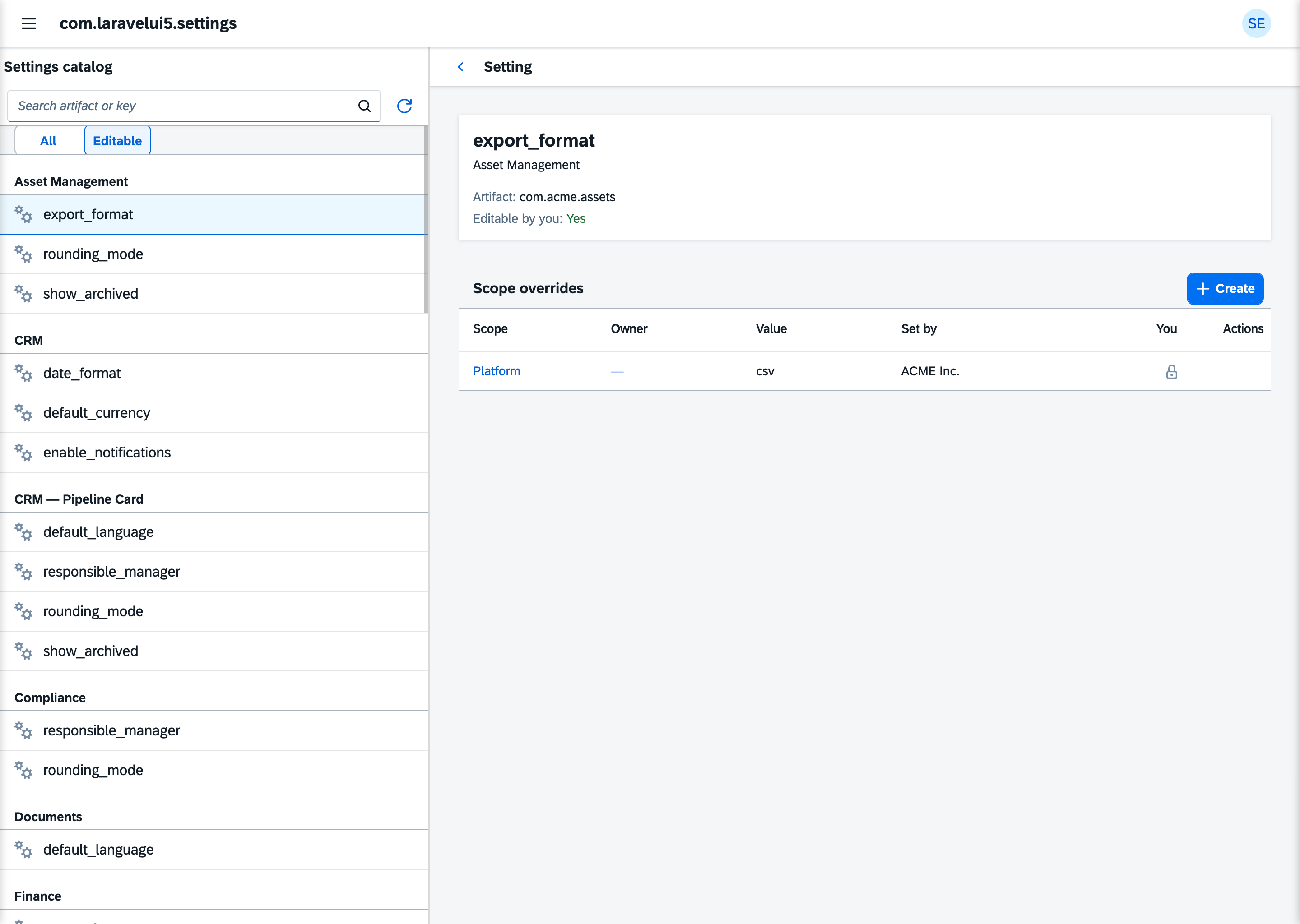
Administrators change settings in the Settings app. A change is always a value at one scope, stored in sdk_setting_values. The Platform default belongs to your declaration and changes only with it.
- A
Uservalue belongs to one partner. The other scopes are shared by the whole installation. - Every change records who made it, in
set_by, and lands in the change log. - Resetting a value deletes it. The value falls back to the next scope present.
Who may change a setting
Opening the Settings app needs the settings-admin ability, which comes with the local_admin role. Saving and resetting need setSetting and resetSetting, which the same role carries. Beyond that, every change passes these checks, in this order:
- Not the default. No value is stored at
Platform: that level is the declaration, and onlyui5:syncwrites it. - Declared. A key without a declaration can't be overridden.
- Edit level. The partner's edit level must reach the setting's
level. - Scope. A partner writes at their own scope and at more specific ones.
- On behalf. Setting another partner's
Uservalue needsLocalAdminor higher.
The partner's system level (sdk_partners.system_level) decides checks 3 to 5:
| System level | Edit level | Scopes it may write | Another partner's User value |
|---|---|---|---|
User | User | User | no |
LocalAdmin | Administrator | Site, User | yes |
TenantAdmin | Organization | Tenant, Site, User | yes |
OperatorAdmin | Operator | Installation to User | yes |
PlatformOwner | Platform | Installation to User | yes |
The system level grants nothing by itself. Without the local_admin role, a partner can't open the Settings app at any level. So today an administrator sets personal values on a user's behalf. A profile in the Launchpad, where users change their own settings, is planned.
A change that fails a check is refused with its reason, and nothing is stored. So is a value that doesn't fit the setting's type (Type Validation).
One kind of setting is refused before any check: a slot's synthetic setting, slot.* under Core's namespace. The parameter chain never reads an override of it, so one stored here would go unseen. A slot is overridden per person instead, in the Parameters tab of the Partners console (Actor Slot Values).
When a declaration changes
ui5:sync keeps the declarations in line with your code. It never writes a value somebody set.
- A changed default or level updates the declaration. The values stay as they are; a changed level only changes who may edit them.
- A changed type first checks every value against the new type. A value fits when it is already in the new type's form.
"5"does not fit an integer: it would have to be converted, and converting it would mean the sync writing a person's value. If one value does not fit, the sync stops and names the setting, the scope and the partner. Correct or reset those values in the Settings app, then run the sync again. - A removed declaration is deleted when nobody set a value for it. If values exist, the sync stops and names them, at every scope, including personal
Uservalues. Reset them in the Settings app, then run the sync again. - A removed module takes its declarations with it — unless somebody set a value for one of them. Then the sync stops and names the module's artifact.
- A renamed key is one setting removed and another declared. If the old key has values, the sync stops, as for a removal. Carry the values across before it runs again.
The sync runs in one transaction, so a stop leaves the database as it was.
A rename needs the values carried
Because a rename is a removal plus a declaration, the values do not follow the new key. Whoever runs the upgrade moves them in the Settings app, or the vendor ships the step that does, before ui5:sync.
Listening for changes
Two events report changes. Both are in LaravelUi5\Sdk\Settings\Events.
| Event | Fired | Carries |
|---|---|---|
SettingUpdated | after a value was created or changed, not when it stayed the same | $value, the stored SettingValue — its set_by is the actor |
SettingReset | after a reset that deleted a row, not when there was none | $artifactId, $key, $scope, $partnerId (the target), $resetBy (the actor) |
Both fire inside the action's database transaction, before it commits. A listener that reads the database or queues work should handle the event after the commit (Laravel's ShouldHandleEventsAfterCommit).
See also
- Scope Precedence: which value wins
- Type Validation: what a value must look like
- The Settings App: where administrators change settings
- Settings in Core: declaring a setting