
The Partners App
The SDK ships a console for its partner registry. Administrators find every person, organisation and department of the installation there and keep them: master data and addresses, contacts and memberships, logins, roles, groups, directly granted abilities and delegations. No code is needed; the app works on the sdk_partners tables and their grants.
It opens for partners with the partners-admin ability, which comes with the local_admin role. The same role carries the actions behind the forms, so one role assignment unlocks the console and what it may change. It sits in the navigation rail, and its tile is on the Launchpad, under Analytics & Intelligence → Data Management.
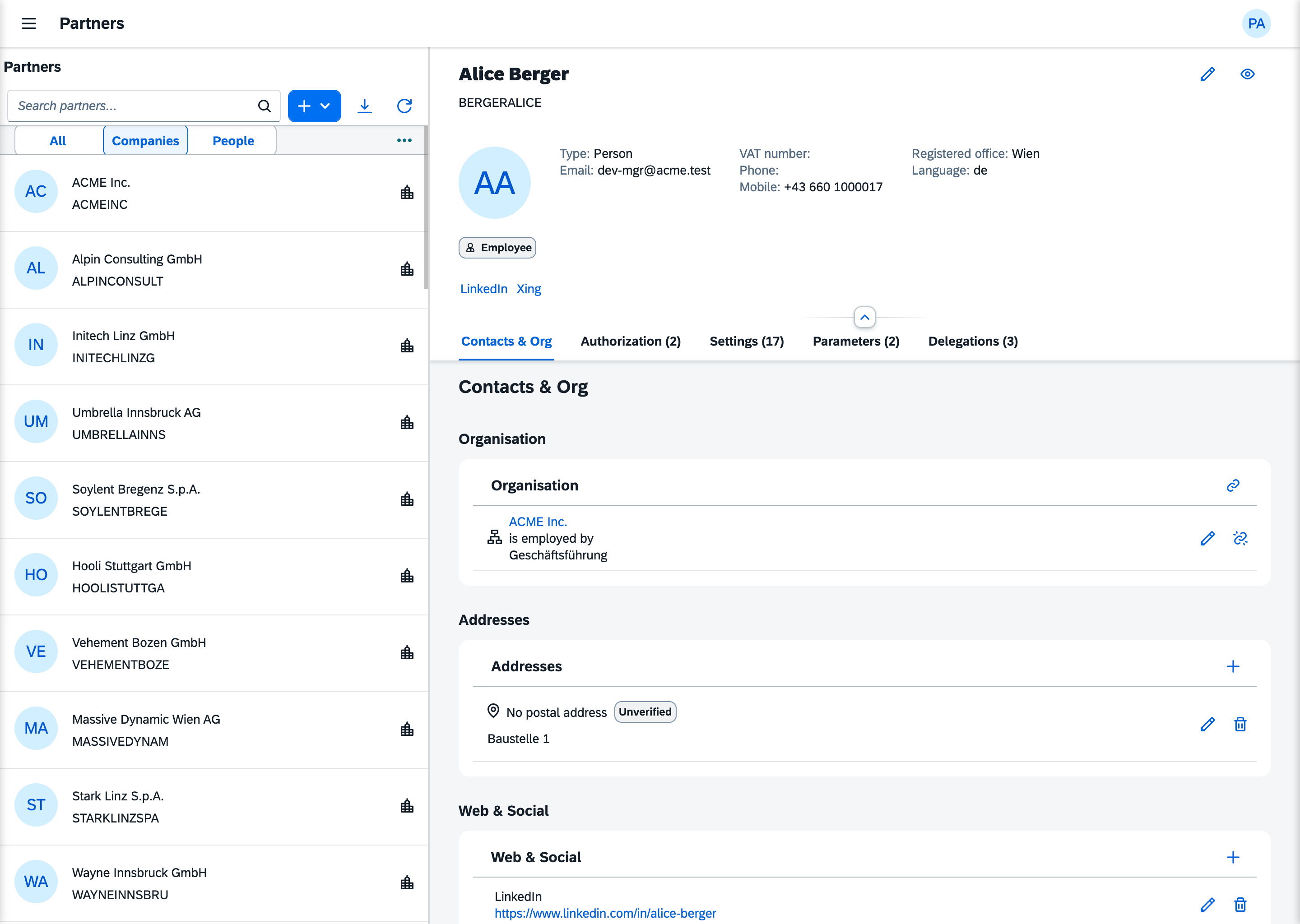
Master and detail
The list. Every partner of the installation, filterable by type: person, organisation, department. A partner who leaves is archived, never deleted: the grants and the audit still point at the row.
The object page. One partner. The header carries its identity; below it come the sections for contacts, the organisation it belongs to, addresses, web and social profiles, classifications and parameters, and the tabs for authorization and delegations.
What you change there
| Area | What | Who |
|---|---|---|
| Master data | Create a person, company or department; edit identity, addresses, profiles, classifications; archive | local_admin |
| Memberships | Link and unlink contacts, save relationships (employment, the rungs of a tenant's ladder) | local_admin |
| Logins | Create, lock, reset the password, delete | local_admin |
| Authorization | Assign and revoke roles, grant and revoke abilities, add to a group and remove | local_admin |
| Groups | Create, edit and delete groups and the roles and abilities they bundle | tenant_admin |
| Delegations | Grant and delineate who may act for whom (impersonation) | local_admin |
| Parameters | Set and clear a partner's slot values | local_admin |
Every change is an action, so every change is audited.
Where the model is explained
- Partners overview: what a partner is, the four kinds of "role", the platform owner
- Connecting Your User Model: the bridge from
userstosdk_partners - Security domain model: roles, groups and abilities
- Addresses: the address domain behind the address form